Press Release

Today we're launching Self Healing Maps. Once the account owner turns it on in the Developer Portal, your maps keep up with the spaces they describe. A desk moves, a pallet lands in an aisle, a partition goes up, a production line gets rebuilt, and the map follows. Nobody has to walk the site again with a scanner.
A map is a snapshot. It records a space on the day it was scanned, and every query after that is matched against that day. Spaces don't hold still. Warehouses re-slot stock, plants rebuild lines, hospitals renovate wards, and a construction site looks different every week.
When the space drifts away from its map, localization gets worse in two ways. Some queries stop finding a position at all. Others return a position with full confidence that's wrong, and the AR overlay, the robot or the agent acts on it anyway.
Until now the fix has been a rescan. Most visual positioning systems ask for a space that stays static, a fresh capture that overlaps the old one, or new scans contributed by users. Each of those puts a person with a scanner back on site, and someone first has to notice that the map has gone stale.
We heard the same from customers. A robotics lead at a large general contractor told us SLAM works best in static spaces. On a job site there's framing one day and drywall the next, and the robot loses its place.
The readers of a map are changing as well. A person holding a phone notices when an overlay drifts and can ask for a rescan. Robots, drones and AI agents query the map all day without anyone watching, and they need it to match the space they're standing in this morning.
It works from ordinary camera images. It needs no LiDAR, no depth sensor and no survey equipment.
We tested it on a public academic benchmark built for this exact problem. It has ten real rooms. Each one was scanned, then scanned again later after furniture and objects had been moved, added or removed, and every frame comes with a reference camera pose.
We built each map from a room's first scan and queried it with frames from the later rescan, so every query sees the room as it is now. We ran the same queries with Self Healing Maps off and on, in two tests, in November 2026 with our production query code.
| Controlled test | Fully automatic test | |
|---|---|---|
| Rooms | All ten | The three where the original map did worst |
| Original map | First scan, 540 to 600 images per room | First scan, 558 to 594 images per room |
| With Self Healing Maps on | Map refreshed using the dataset's reference poses and depth | Map refreshed automatically, from images only |
| Test queries | 1,113 rescan frames, none used for the refresh | 318 rescan frames, none used for the refresh |
| Query mode | Deep Search, acceptance checks off | Standard and Deep Search, production acceptance checks on |
Error is the distance and angle between the pose we returned and the dataset's reference pose. Percentages are shares of all test queries, and a query that returned no pose counts as a miss.
The controlled test shows what a refreshed map is worth. Its refresh used the dataset's own reference poses and depth, so read it as the ceiling.

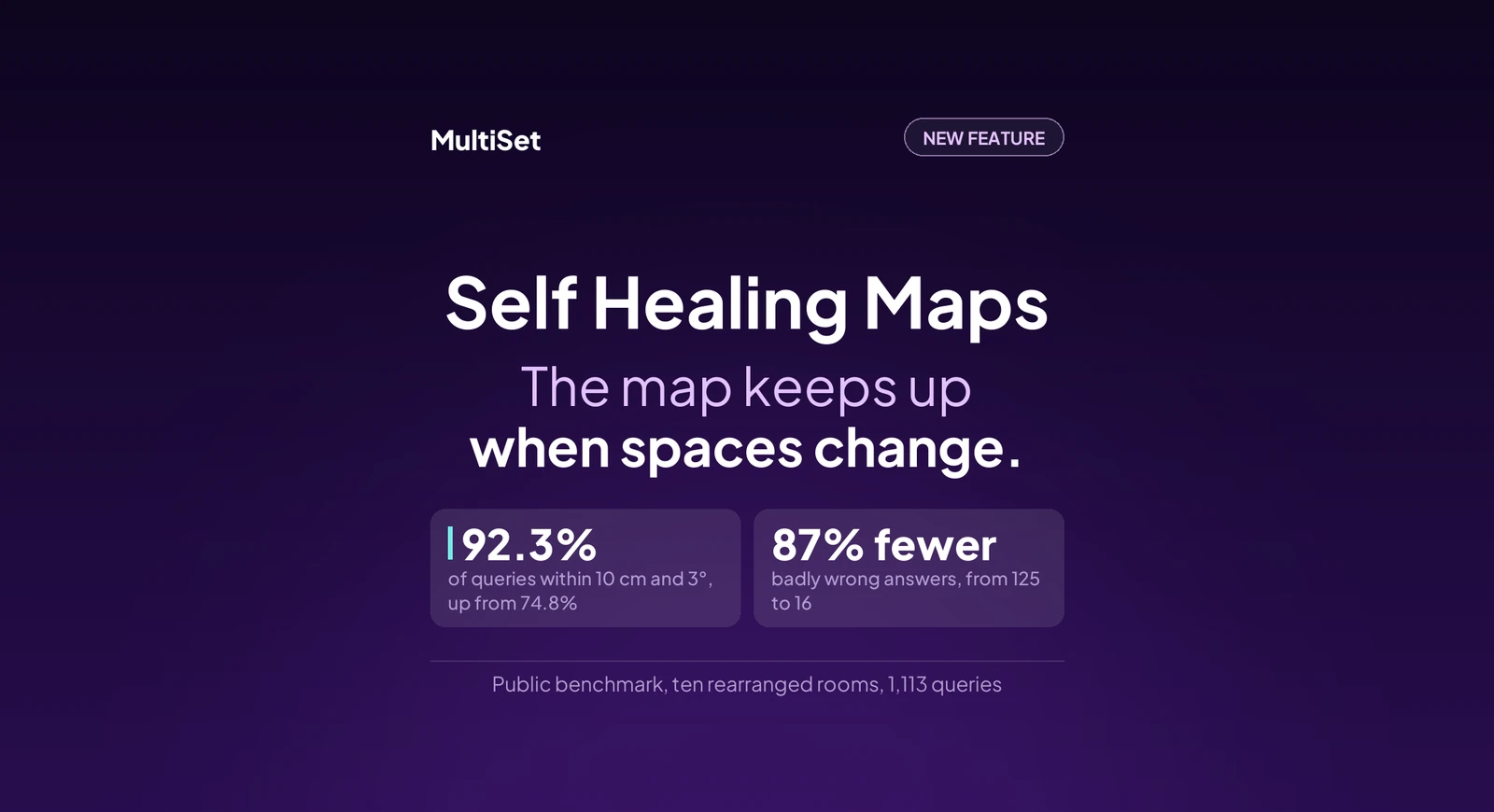
On the original maps, 74.8% of queries landed within 10 cm and 3°, and 125 came back more than 1 m or 10° off. With Self Healing Maps on, 92.3% landed within 10 cm and 3°, and 16 were that far off. Median error fell from 3.6 cm and 1.3° to 2.4 cm and 0.9°.
| Measure | Off | On |
|---|---|---|
| Within 5 cm and 5° | 61.5% | 83.1% |
| Within 10 cm and 3° | 74.8% | 92.3% |
| Within 25 cm and 5° | 83.5% | 96.1% |
| Within 1 m and 10° | 88.8% | 98.6% |
| More than 1 m or 10° off | 125 (11.2%) | 16 (1.4%) |
| Median error | 3.6 cm, 1.3° | 2.4 cm, 0.9° |
The biggest gain is where the room changed. We split the queries by whether they looked at a part of the room that had changed.

Queries looking at a changed area went from 60.7% to 90.4% within 10 cm and 3°. Queries looking at an unchanged area improved as well, from 84.6% to 93.6%.
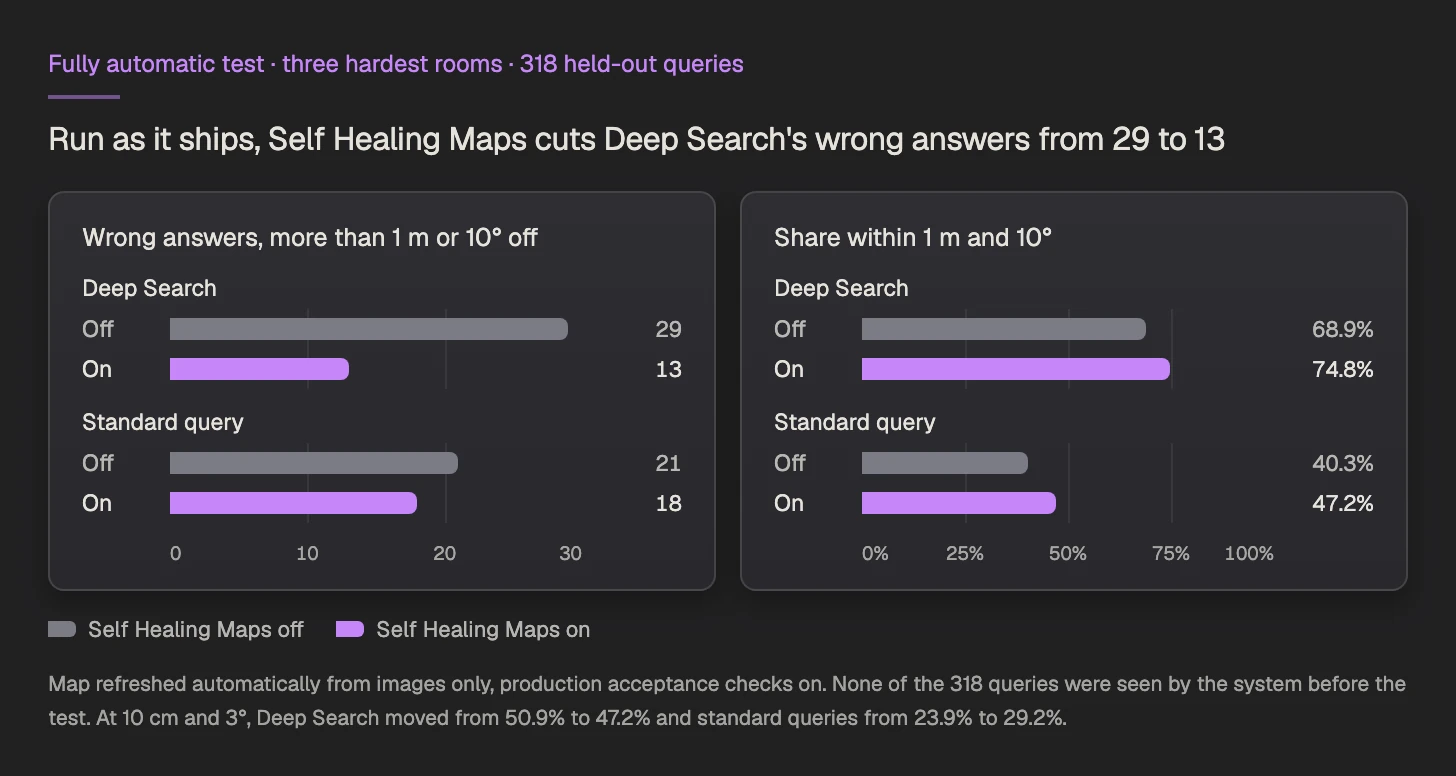
The second test runs Self Healing Maps the way it ships. It uses nothing from the dataset except images, and production acceptance checks are on. We picked the three rooms where the original map did worst, and in one of them almost all the furniture had been rearranged. None of the 318 test queries had been seen by the system before the test.
| Query mode | Measure | Off | On |
|---|---|---|---|
| Standard | Pose returned | 46.9% | 52.8% |
| Standard | Within 10 cm and 3° | 23.9% | 29.2% |
| Standard | Within 25 cm and 5° | 34.0% | 39.0% |
| Standard | Within 1 m and 10° | 40.3% | 47.2% |
| Standard | Wrong answers, more than 1 m or 10° off | 21 | 18 |
| Deep Search | Pose returned | 78.0% | 78.9% |
| Deep Search | Within 10 cm and 3° | 50.9% | 47.2% |
| Deep Search | Within 25 cm and 5° | 61.6% | 62.9% |
| Deep Search | Within 1 m and 10° | 68.9% | 74.8% |
| Deep Search | Wrong answers, more than 1 m or 10° off | 29 | 13 |
Deep Search wrong answers fell from 29 to 13, and the share of queries within 1 m and 10° rose from 68.9% to 74.8%. Standard queries gained 5 to 7 points at every tolerance, and their wrong answers went from 21 to 18.
At the tightest tolerance Deep Search slipped, from 50.9% to 47.2% within 10 cm and 3°. Run automatically today, Self Healing Maps mostly stops the map from sending a query to the wrong part of the room. The controlled test above shows the accuracy a fully refreshed map reaches.
Self Healing Maps is off until the account owner turns it on. With it on, we store the images your devices send to localize for up to 360 days, to keep your maps up to date and improve the service. Turn it off and we stop storing new images, and we'll delete the stored ones on request. Our Terms of Use cover the details.
Self Healing Maps is available now on MultiSet Enterprise. The account owner turns it on in the Developer Portal, and it runs in the background from then on. To try it on your own site, write to us at contact@multiset.ai.
Self Healing Maps is a MultiSet feature that keeps a visual positioning map current as the space changes, with no rescan. Once the account owner turns it on in the Developer Portal, it runs in the background.
Not for everyday change. With Self Healing Maps on, furniture, stock and equipment can move and the map keeps up. A new building wing or a space you never mapped still needs a scan.
The account owner switches it on in the Developer Portal. Your apps, SDKs and API calls stay exactly as they are.
No. It works from the ordinary camera images your devices already send to localize.
No. Self Healing Maps checks what it sees before it changes a map, so one bad image leaves your map as it was.
With it on, we store localization images for up to 360 days to keep your maps up to date and improve the service. Turn it off and new images stop being stored, and we delete stored images on request.
Self Healing Maps is part of MultiSet Enterprise.
On a public academic benchmark of ten real rooms, each scanned, rearranged and scanned again. We built each map from the first scan, queried it with frames from the second, and compared the results with Self Healing Maps off and on.