Vuforia Alternative: Modern, Scan-Agnostic VPS + Object Tracking

Reboot your roadmap with MultiSet’s enterprise-ready Visual Positioning System, including MapSet and Object Tracking, the drop-in replacement for Vuforia Advanced Model Targets & Area Targets. Detect any CAD-based object from every angle with zero cloud training. Sub-5 cm accuracy, private & on-prem deployments, zero legacy baggage.

Why Replace Vuforia in 2025?

Reuse existing scans: Import Matterport MatterPak and .E57 point clouds; preserve coordinate systems.
Multi‑map scale: Seamlessly localize across multi‑floor and campus‑scale spaces with Map Sets.
Enterprise deployment: Public cloud, private cloud/VPC, or on‑prem self‑hosting.
Occlusion‑ready: Use map meshes for accurate AR occlusion (per‑map and MapSet aware).
Cross‑platform: Unity/AR Foundation, native iOS/Android, WebXR, and Quest via Unity.
Area Tracking & Object Tracking in One SDK
CAPABILITY
VUFORIA AREA TARGETS
MULTISET VPS
Runtime Approach
Packaged datasets in‑app
Client‑SDK + server VPS for low‑latency localization
Multi‑space coverage
Multiple Area Targets can be combined with drift between targets
Native MapSet with stitching & smooth transitions across floors/areas
Occlusion
ATG exports meshes for occlusion
Map mesh–based occlusion
Coordinate preservation
Tied to generated dataset
Preserves source scan coordinates
Deployment options
App‑embedded datasets
Cloud/VPC/ on‑prem self‑hosting with enterprise controls
Web support
Vuforia Engine is native/mobile
WebXR & App Clips
Scan inputs
Matterport scans & E57 exports
MatterPak + E57 + iOS LiDAR capture

VPS & MapSet: Vuforia Area Target Alternative

VPS & MapSet is MultiSet’s drop-in replacement for Vuforia Area Targets, giving you 5-CM of localization accuracy & low drift with flexible on-device or cloud training, no rescans required.
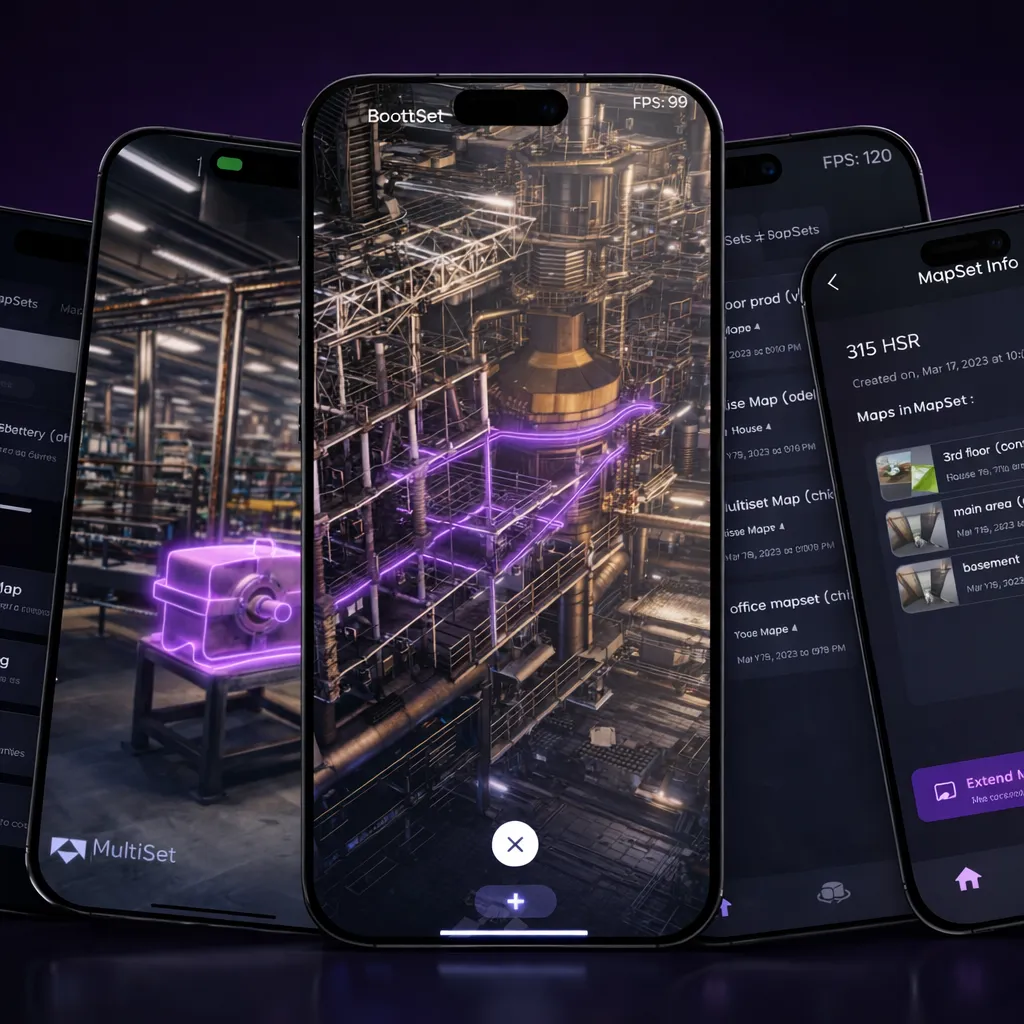
Re-scan with MultiSet iOS Mapper
Re-scan with MultiSet iOS Mapper

Fastest when original source scans are unavailable
Import your original source scans

Import your original source scans

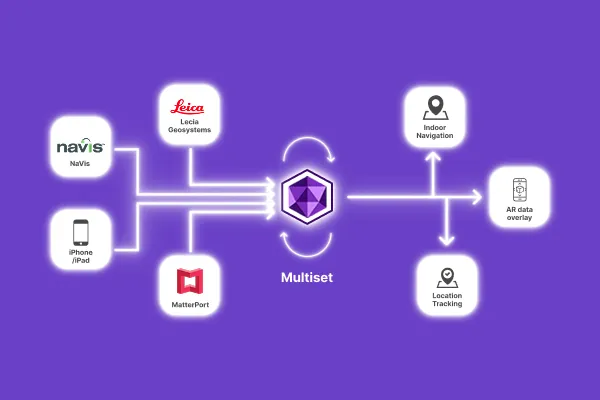
E57, Matterport, Leica, NavVis and other scans preserve original coordinate system

Object Tracking: Vuforia Advanced Model Target Alternative

FACTORS
OBJECT TRACKING
VUFORIA ADVANCED MODEL TARGETS
Depreciation risk
None
Older MTG versions already deprecated
Hardware
iOS / Android / HMD
iOS-only for On-Prem AMT
Angle coverage
360° (single dataset)
360° (Advanced MT)
License cost
Included in MultiSet Free Tier
Requires Enterprise tier
Training pipeline
Cloud, local or cloudless
Cloud (or Enterprise on-prem plugin)

Key Advantages of Choosing MultiSet as Your Vuforia Alternative

Scan-Agnostic
Mapping
Use LiDAR, 3D scanner or iOS Pro devices - MultiSet ingests them all. Bring your Matterport, Leica, NavVis, Polycam. Want to migrate from Vuforia datasets? Start fresh with MultiSet's Mapper app.
Private, On-Prem &
On-Device Deployments
Security teams love our flexible options: public cloud, private cloud, edge server, or fully on-device. Perfect for compliance-driven industries replacing Vuforia Engine hosting.
Lower Total Cost of
Ownership
Modern micro-services and pay-as-you-scale pricing cut the vuforia engine replacement cost by up to 50%.
Future-Ready
Roadmap
Object Anchors take you beyond a simple Vuforia area targets replacement while preserving today’s maps and APIs.

From Scan to Share in Three Simple Steps

Capture
Capture with any modality - iOS Pro, Matterport, Leica, NavVis, FARO, XGRIDS, Polycam and more
Map & Localize
Sub-5 cm accuracy that holds in changing conditions
Publish & Scale
One-tap share links, private QR codes, Unity/WebXR SDKs
Head to head

Vuforia Area Targets and MultiSet compared

Every cell below describes what each product publishes about itself. Where a figure is not published, this says so rather than estimating one.

Vuforia Area TargetsMultiSet
Capture inputApproved scanners onlyAny: E57, Matterport, NavVis, Leica, Faro, XGRIDS, Polycam, Gaussian splats, 360 video, phone LiDAR
DeploymentCloud or on-deviceCloud, private VPC, self-hosted, on-device
Multi-floor stitchingLimited, separate targetsYes, via MapSet
Re-scan without re-authoringRescan and rebuildYes, map versioning
Object trackingModel Targets, trained per objectMarkerless, from a CAD or scan model
Published accuracyCentimetre-level within the target areaSub-5 cm positioning, sub-millimetre object tracking

Migrating off Area Targets

Most teams are not rebuilding an application. They are swapping the localization layer underneath one that already works, and the useful question is what carries over.

What carries over: the Unity project, the scene graph, the interaction code, the UI, the content authored against your anchors, and the build and distribution pipeline. Localization is one component in the scene, and replacing it does not touch the rest.

What changes: the map. Area Targets are built from a supported scanner into a product-specific database. MultiSet ingests the source scan directly, so if you still hold the original capture the map is a re-process rather than a re-scan. If the source scan is gone, any scan of the space will do, including a phone capture.

What to budget: an afternoon to get one space localizing in a sample scene, then the real work, which is validating accuracy in your worst area rather than your best. Teams with several sites usually pilot one, confirm the numbers, then process the rest in a batch.

Two questions worth settling first

Where is the compute allowed to run? If public cloud covers it, the shortlist is wide. If the requirement is a single-tenant private VPC, an on-premises install or a fully air-gapped deployment, that is usually the constraint that decides the evaluation, and it is better established in the first conversation than at the security review.

What happens when the space changes? Ask specifically what a partial update costs and whether authored content survives it. A system where every layout change means recapturing the site and re-placing every anchor will quietly fall out of use inside a year, whatever its accuracy on day one.

The fastest way to settle both is to send one scan file and compare the result on your own space rather than on a demo.


Frequently asked questions
What is the best Vuforia Area Targets alternative for large indoor spaces and multi-floor AR?

MultiSet VPS + MapSet is the enterprise replacement for Vuforia Area Targets when you need scan-agnostic mapping, persistent localization across larger spaces, and smooth transitions across floors or zones. Instead of packaging static area datasets into the app, MultiSet supports reusable source scans, flexible deployment, and sub-5 cm median, low-drift localization built for real production environments.

Can I migrate from Vuforia Area Targets without rescanning my environment?

Yes. If you still have the original Matterport MatterPak or .e57 source files, MultiSet can import that scan data directly, preserve the original coordinate system, and let you keep existing AR content placement without rebuilding the experience from scratch. If you choose to rescan instead, you will create a new map and re-author content against the new origin.

Can I publish a Vuforia app that uses Model Targets or Area Targets on the Basic plan?

No. Vuforia’s Basic plan allows development with Model Targets and Area Targets, but apps using those features cannot be published to an app store and display a watermark. Publishing those experiences requires a Premium or Enterprise plan.

What is the best alternative to Vuforia Advanced Model Targets for 360° object tracking?

MultiSet Object Tracking is the direct replacement for Vuforia Advanced Model Targets when you need high-fidelity, 360-degree tracking of real-world objects from photorealistic 3D scans. It is designed for stable object anchoring, supports reuse of existing scan assets, and performs reliably in changing and challenging lighting conditions.

Can I reuse the same GLB, Matterport, or E57 files when migrating from Vuforia to MultiSet?

Yes. MultiSet supports reusing the same .glb object scan files previously used for Vuforia Model Targets, as well as the Matterport MatterPak and .e57 files used for Vuforia Area Targets. That makes migration faster and helps preserve scale, coordinate alignment, and content placement.

How do I replace Vuforia in Unity without rebuilding my whole AR app?

Replace the Vuforia Engine plugin with the MultiSet Unity SDK, then swap Vuforia Area Target GameObjects for the MultiSet SDK prefab and localize against your imported or newly created map. MultiSet’s Unity stack is built on AR Foundation, so it fits cleanly into modern Unity workflows while moving localization from packaged Vuforia datasets to MultiSet’s map-based VPS.