Screen recording · XREAL Aura · 2x

Indoor Positioning and Object Tracking for XREAL Aura

XREAL Aura glasses that know where they are inside your site and which machine is in front of the wearer, so instructions, data and spoken answers land on the right equipment.
<5cm

median 6-DoF accuracy on a multi-frame query, indoors and out

10objects

checked per cloud query, from a scan or untextured CAD

1map

shared by the glasses and every phone, headset and robot on site

0beacons

installed, since the map comes from a scan you already hold

Indoors and outScan or CAD objectsSame map as every device

MultiSet docs and Android SDK 2.2.0, November 2026.

01

XREAL Aura localizes indoors, on a map of your own site

Android XR's built-in positioning works outdoors, matched against Street View. MultiSet takes it inside, on a map built from the E57, Matterport, NavVis or phone scan you already hold, at a sub-5 cm median.

Android XR Geospatial

Outdoors, where Street View has passed. Sub-meter, and it stops at the door.

MultiSet on XREAL Aura

Every floor you've scanned, indoors and out. Sub-5 cm median, from your own capture.

02

Lock work to the machine in front of the wearer

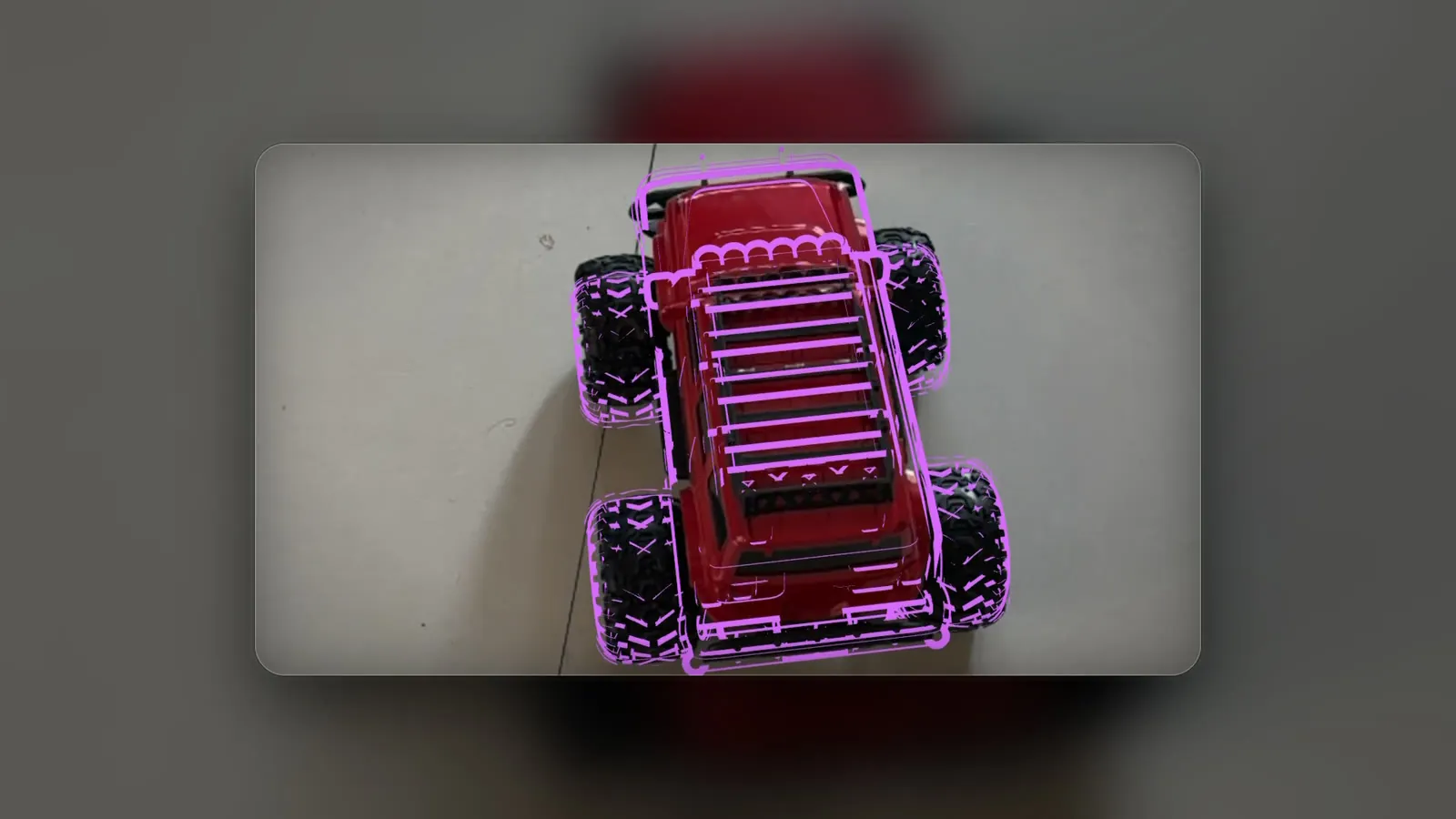
Upload the CAD model or a scan of the equipment, and the glasses keep it outlined on the bench, in the wearer's hand or on the move. Every object's pose lands in the site map, so Aura knows which of six identical pumps it's looking at.
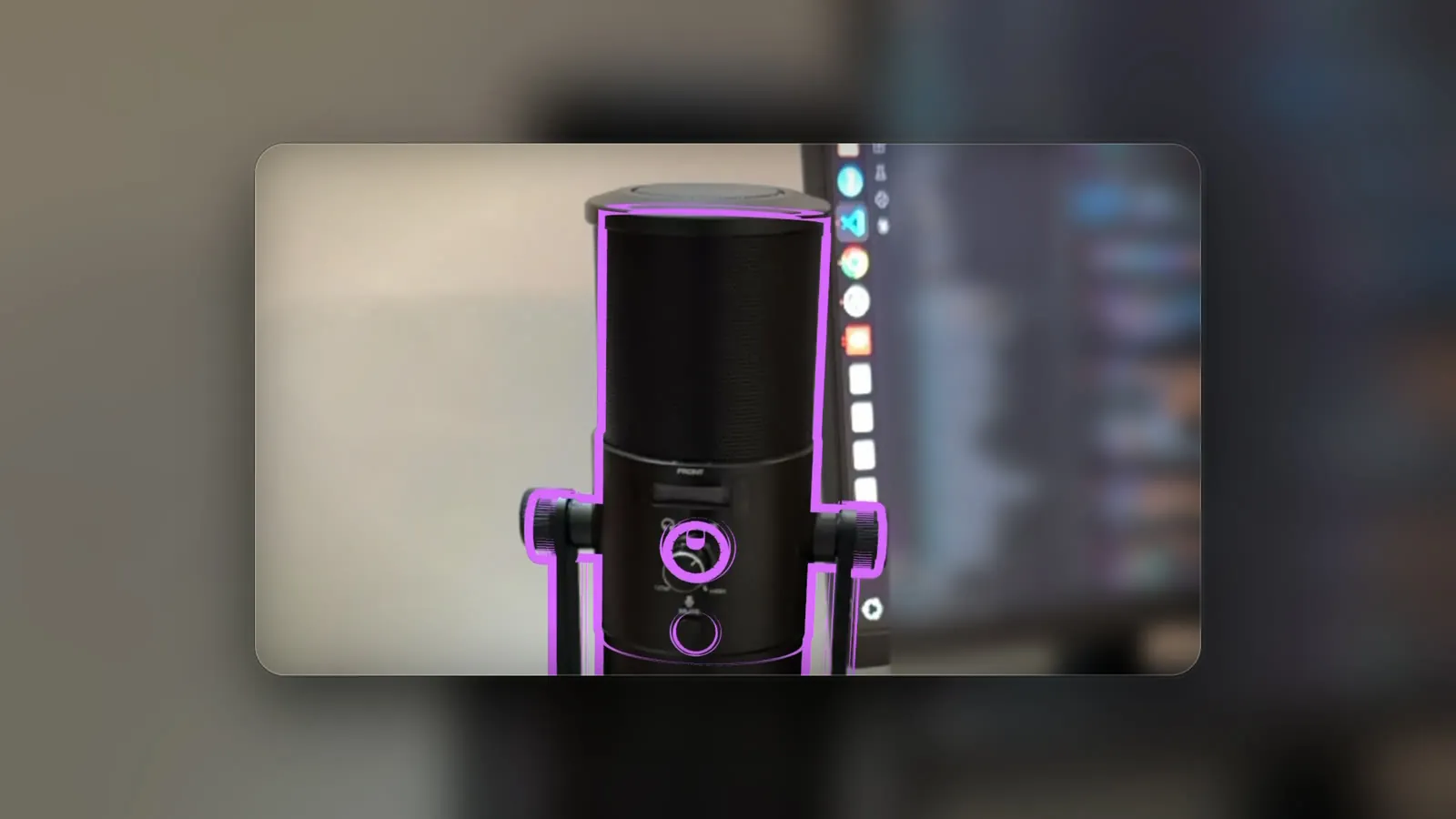
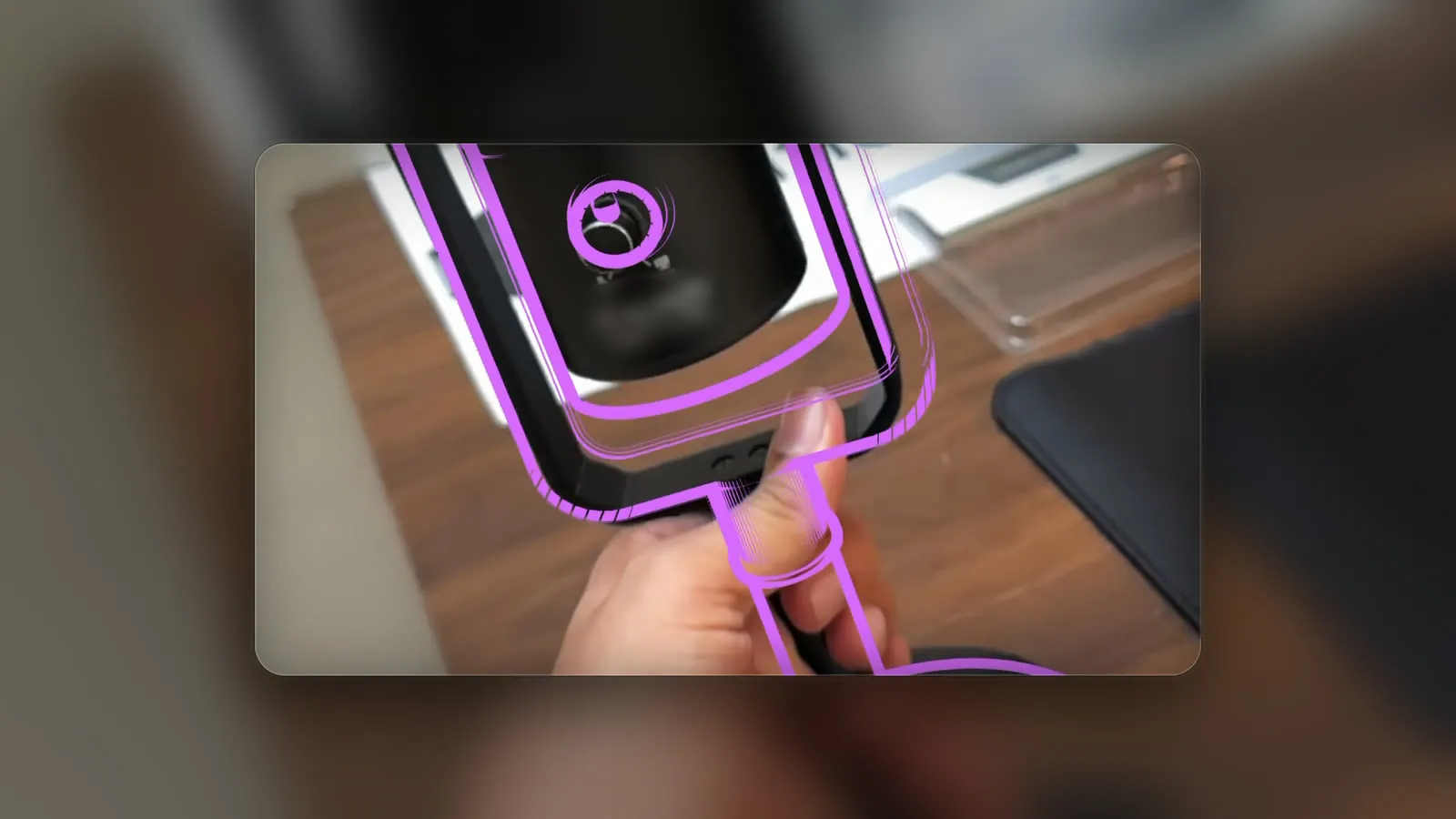
Recreated lens view: a studio mic on a desk outlined from its model Recreated lens view: the mic lifted and tilted in a hand, the outline following it Recreated lens view: a toy truck driving toward the camera with its outline riding along Recreated lens view
Edge-based tracking from the object's model

Recreated from phone captures to show what the wearer sees.

03

Ground a voice agent in the room the wearer stands in

Gemini on Aura sees what the wearer sees. MultiSet tells your agent where the wearer stands and which unit is in view, so a spoken answer lands on G-3, just ahead on the left, and stays there as the wearer moves.
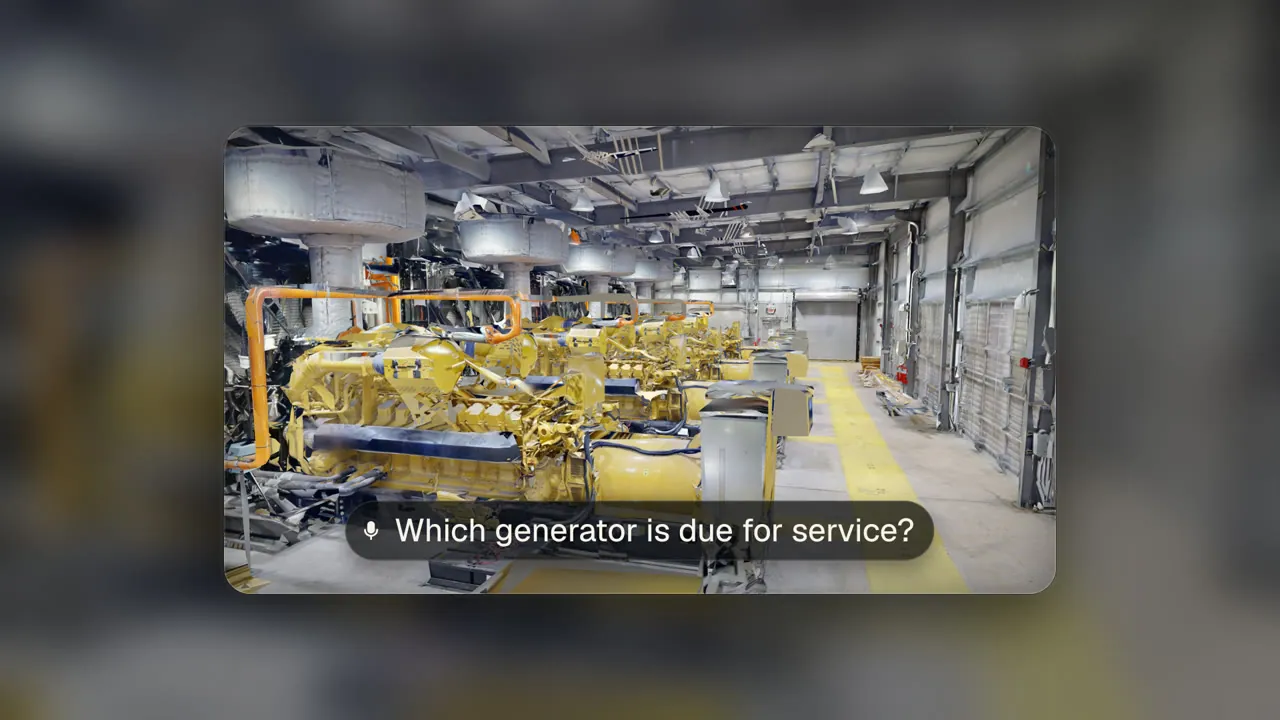
Concept view, all three frames
Concept lens view in a generator hall with the spoken question on screen
01 · Ask

The wearer asks which generator is due for service.
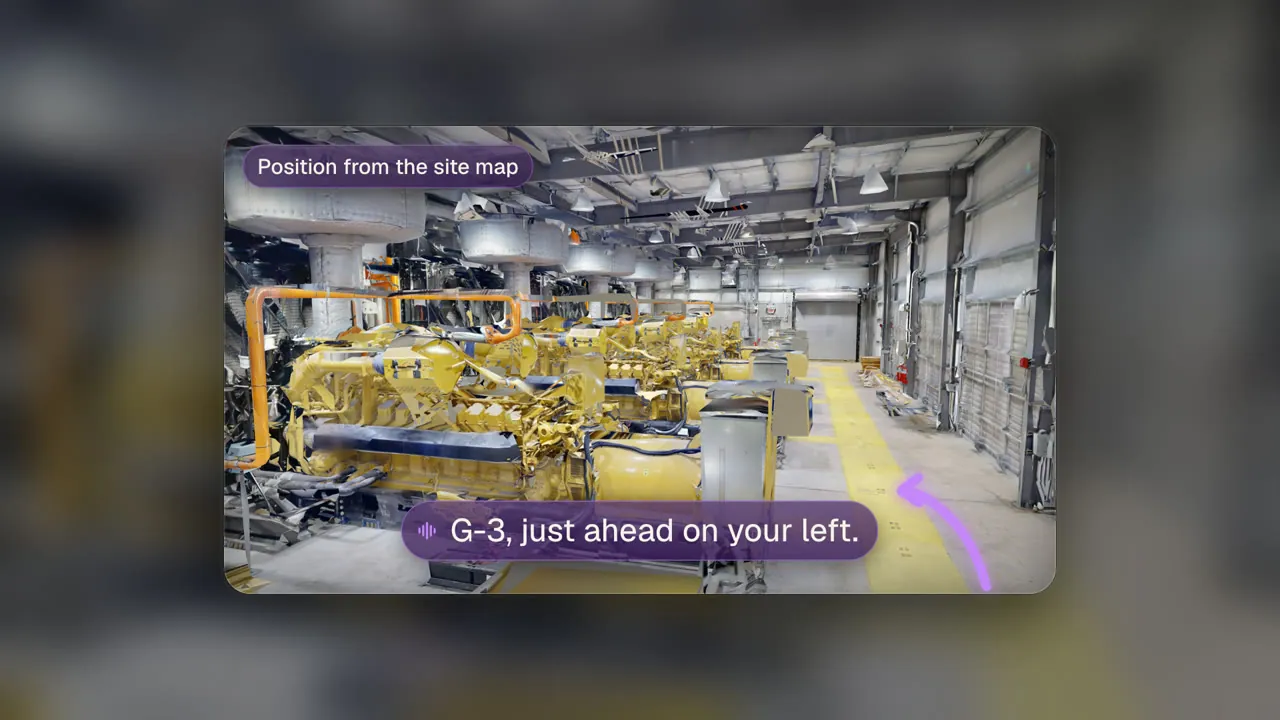
Concept lens view with the agent's answer and a route on the floor toward G-3
02 · Answer on the map

The site map knows where G-3 stands, and the route points to it.
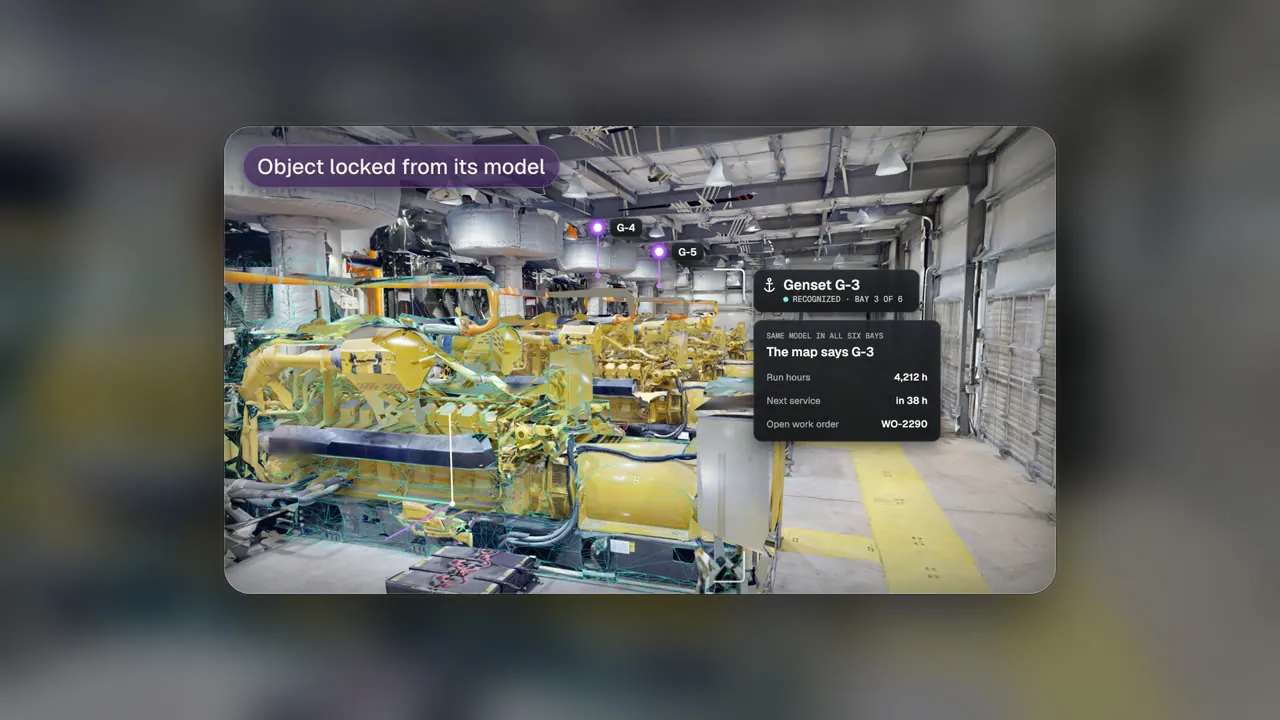
Concept lens view with G-3 outlined and its service card beside it
03 · Locked to the unit

The outline holds on G-3, with its work order beside it.

Concept storyboard on a partner's generator hall map.

04

One map for the glasses, the phone and the robot

A wearer picks a spot on the ground and a Unitree Go2 walks to it. Glasses, phones and robots read one map, so a point picked on one device is a position for every other.
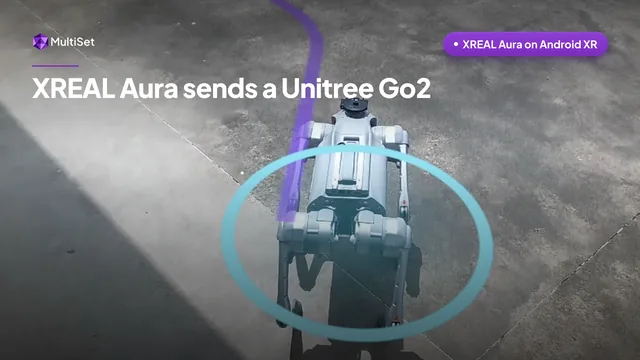
XREAL Aura Glasses Send a Unitree Go2, a 53 second video
Outdoor yard · the glasses and the Go2 on one map

Filmed through the lens, 53 s. The walk runs at 2x, and the last shot is a phone on the same map sending Nova again.
05

From a site scan to working glasses in three steps

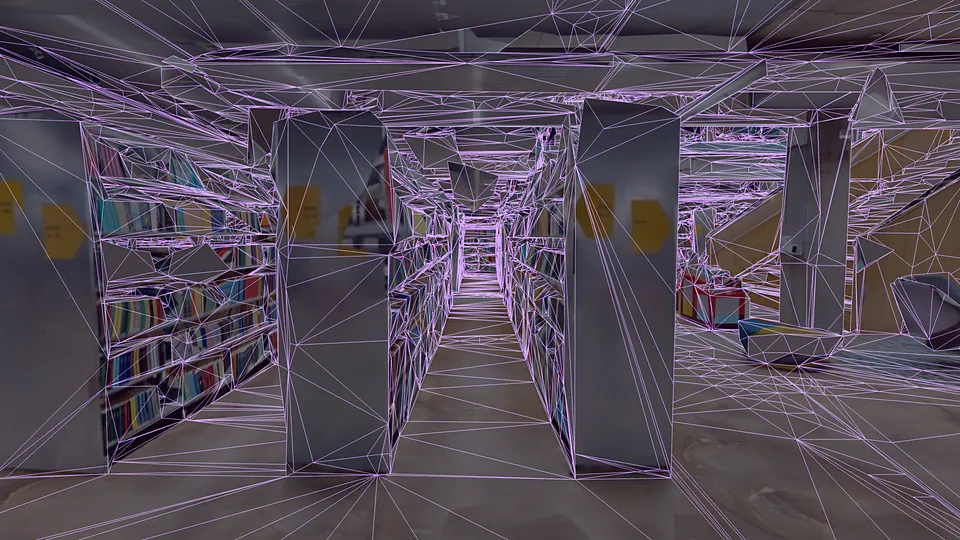
A site captured as a point cloud map

01Capture the site

Scan it once with the MultiSet app, or upload the E57 or Matterport space you already own.
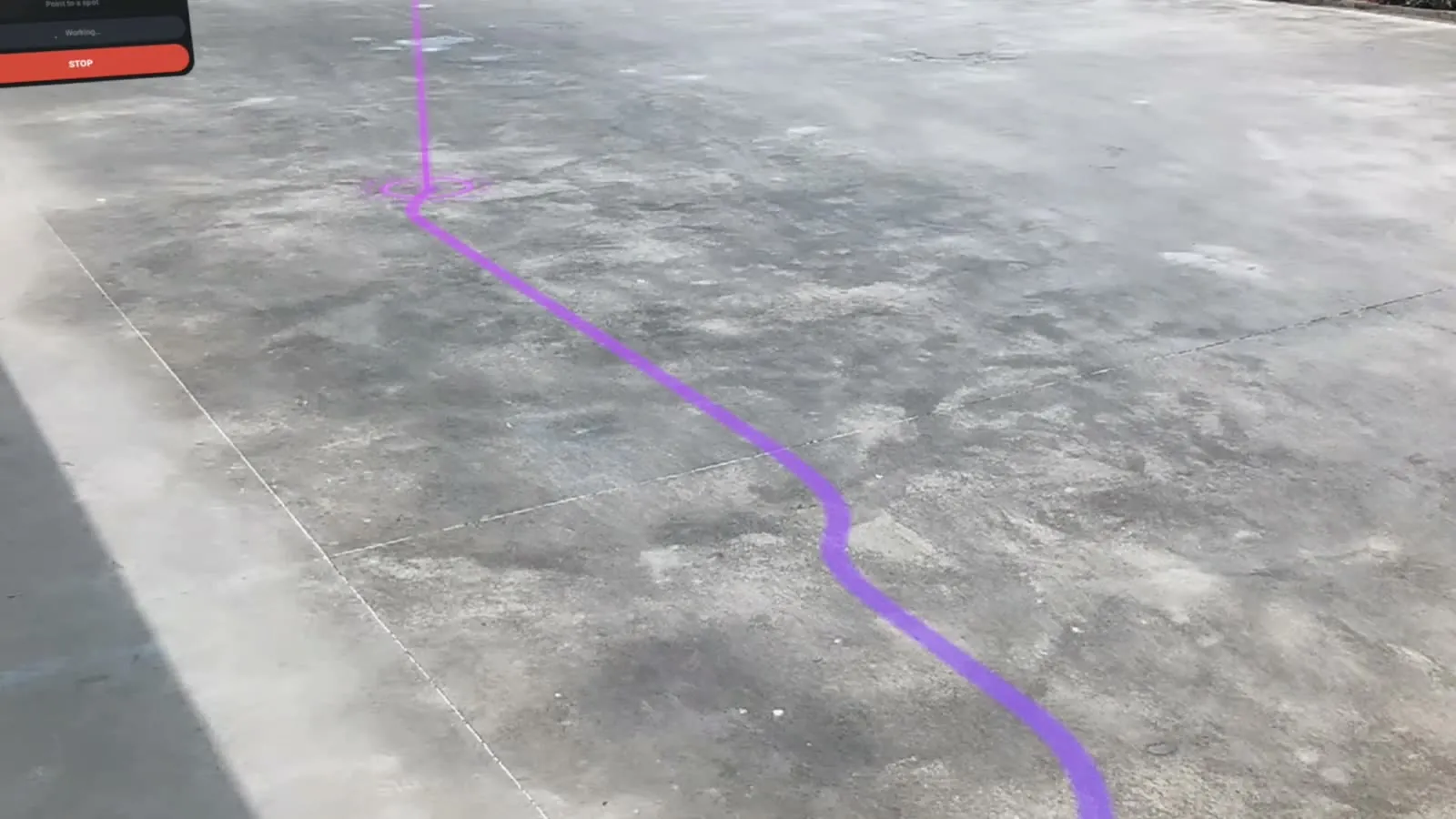
View through XREAL Aura glasses with a route drawn on the ground

02Aura finds its place

The glasses localize against the map and keep their place across rooms and floors.
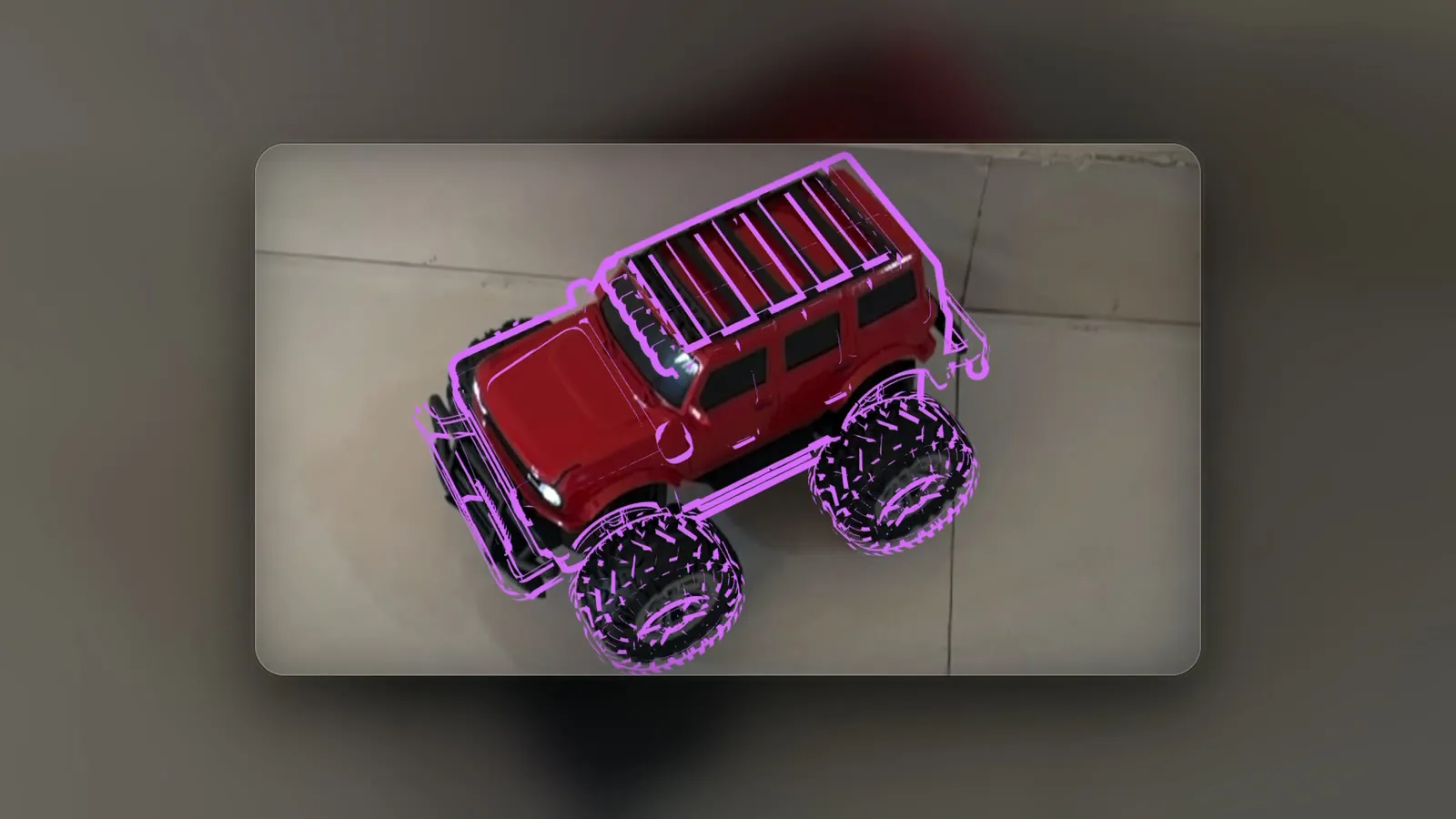
Recreated lens view with an object outlined from its modelRecreated lens view

03Work locks on

Instructions, data and agent answers stay on the equipment they belong to.
Device
XREAL Aura on Android XR, and other Android XR glasses whose camera apps can read
Maps from
E57, Matterport, NavVis, splats, 360 video or a phone scan
Accuracy
Sub-5 cm median on a multi-frame query
Objects from
A textured scan or untextured CAD such as STEP, IGES, FBX or OBJ
Object size
5 cm and up, with 10 cm and up working best
Per query
Up to 10 objects, best match returned
SDK
MultiSet Android SDK with a public XREAL Aura sample
Hosting
MultiSet Cloud, Dedicated Cloud or Private Cloud / VPC

Try it on your own glasses today.

Create a free account, scan a room with the MultiSet app and run the Aura sample against it.

06

Where XREAL Aura and MultiSet do the work

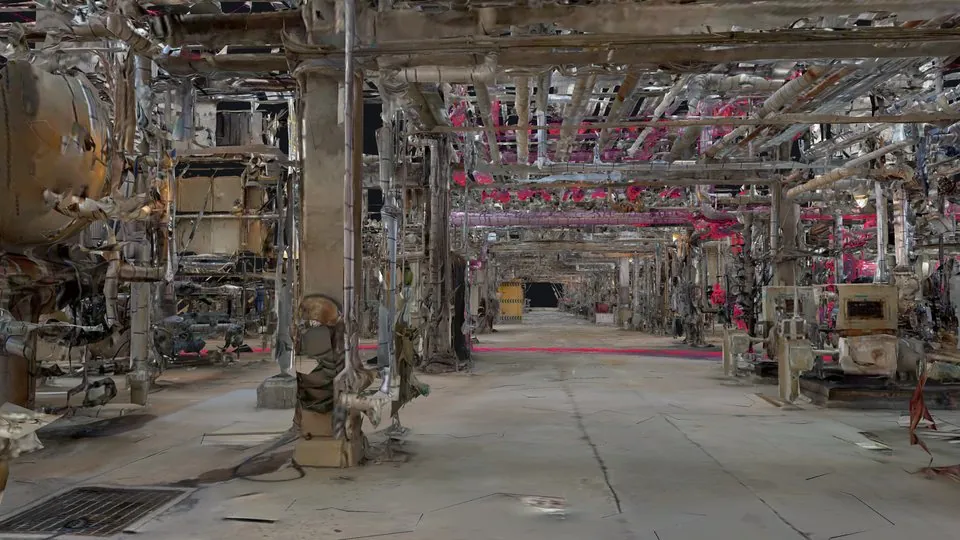
Refinery pipe rack inside its map
Asset finding

The right valve, from where the wearer stands

The glasses localize in the plant map and the label lands on the asset the work order names.
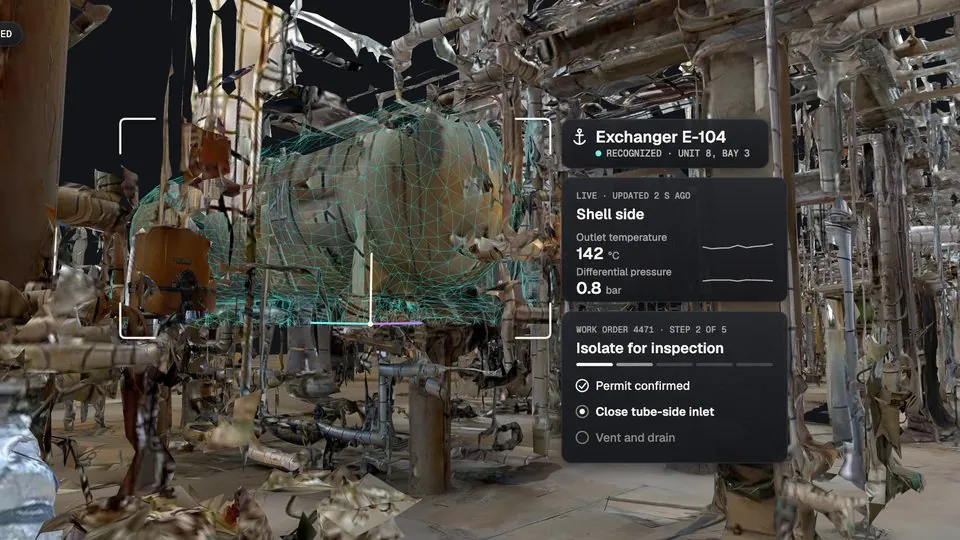
Heat exchanger with live readings and a work order step beside it
Procedures at the machine

Steps pinned to the equipment, hands free

Each step sits on the part it refers to, so the wearer keeps both hands on the job.
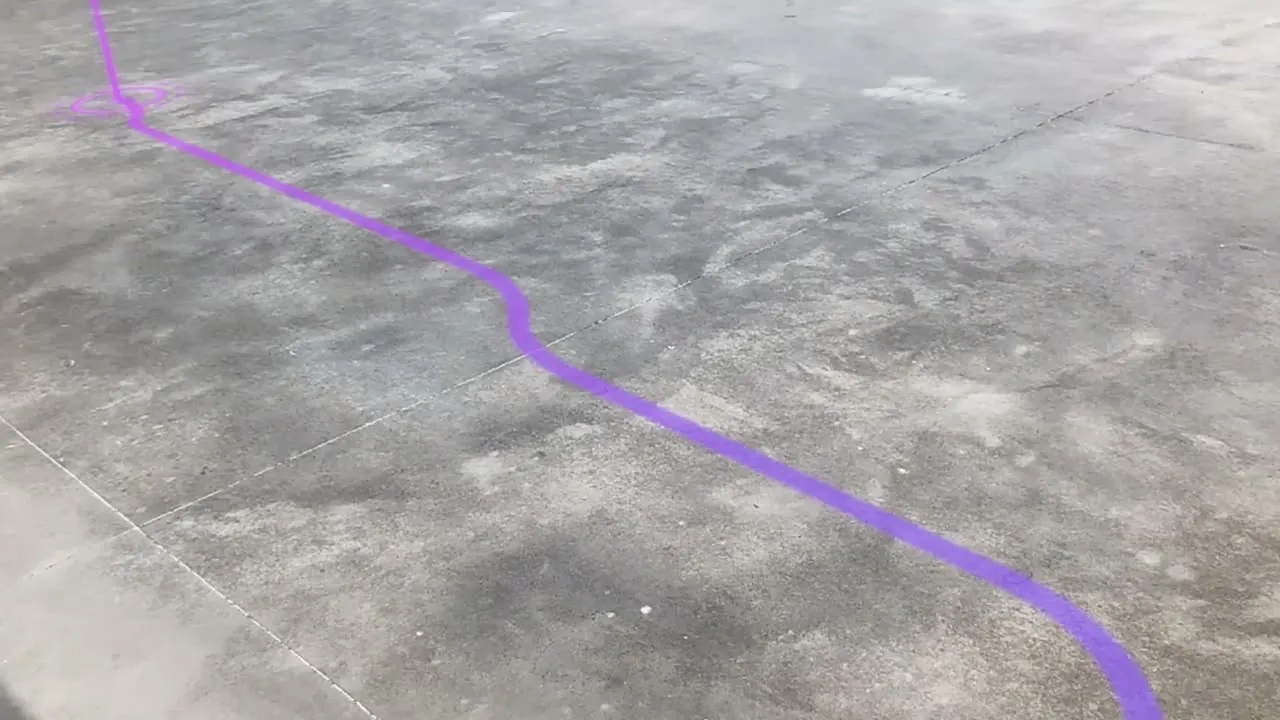
Through XREAL Aura glasses, a Unitree Go2 inside a ring on its route
Robots

Send a robot to the spot you're looking at

The wearer and the robot share one map, so a point picked on the glasses is a goal the robot can drive to.
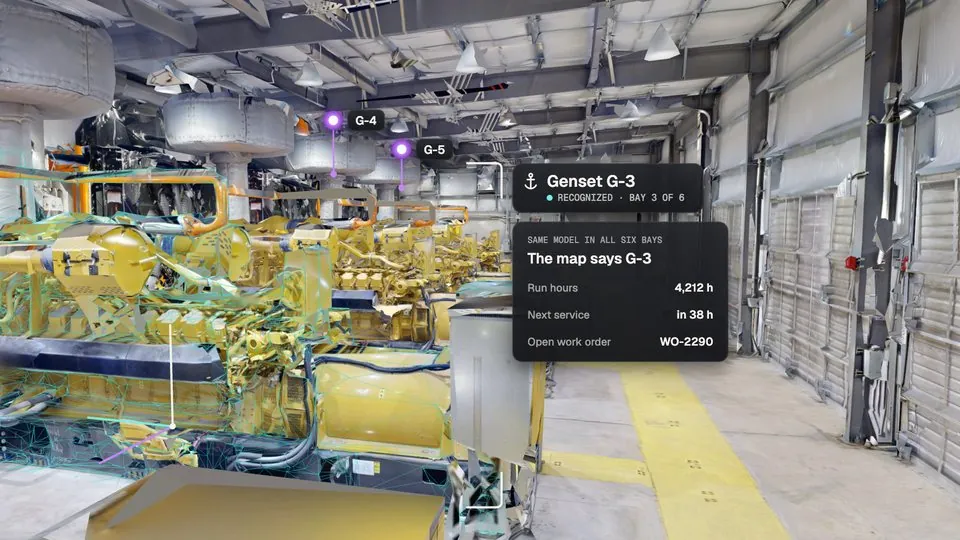
Generator recognized in a row of identical units, with its run hours and next service
Identical equipment

One record per unit in a row of look-alikes

Object tracking matches the model and the map picks the unit, with no tag to fit.

07

Android XR's built-ins and MultiSet, side by side

Geospatial covers the street with no scan at all. A plant, a hospital or a warehouse needs a map of its own.

MultiSet on XREAL Aura Android XR built-ins
Where it localizes Indoors and outdoors, wherever you've captured Outdoors, where Street View imagery exists
The map Your E57, Matterport, NavVis, LiDAR or phone scan Google's imagery
Setup One capture of the site None outdoors
Stated accuracy Sub-5 cm median on a multi-frame query Sub-meter, often
Object tracking Your equipment, from a scan or untextured CAD Keyboard, mouse and laptop
Sharing a position One map read by glasses, phones, headsets and robots Anchors persist on the device
Hosting MultiSet Cloud, Dedicated Cloud or Private Cloud / VPC Google
08

Build on XREAL Aura

The XREAL Aura sample runs on the glasses today. Setup, permissions and code live in the docs.

Frequently asked questions

Does XREAL Aura support a visual positioning system?

The MultiSet Android SDK runs on XREAL Aura through a public sample, with map and MapSet localization and object tracking on the glasses. Android XR also ships Google's Geospatial API, which works outdoors where Street View imagery exists.

Does it work indoors?

XREAL Aura localizes against a map built from your own capture of the building, so it works in plants, hospitals, warehouses and offices with no GPS signal and no beacons installed.

Can XREAL Aura track equipment and parts?

Upload a textured scan or an untextured CAD file and the glasses track the object from 5 cm upward, with 10 cm and up working best. Each cloud query checks up to 10 objects, and each pose sits in the same map as the site.

Can an AI agent on XREAL Aura use MultiSet?

Your app sends frames to MultiSet for the wearer's position and the poses of tracked objects, then passes them to whichever model runs the conversation. The agent's answers then point at real places and parts in the site map, and the AR stays locked to them as the wearer moves.

Which scans can build the map?

E57 from Leica, FARO, NavVis or XGRIDS scanners, Matterport spaces, Gaussian splats, 360 video and phone scans from the MultiSet app, with or without LiDAR.

Does it need a connection?

On XREAL Aura, localization runs in MultiSet Cloud, Dedicated Cloud or your own Private Cloud. A call sends about 50 to 100 KB, and a session needs one every 30 to 60 seconds.

Does it run on other Android XR devices?

The sample runs on Android XR devices with a world-facing camera that apps can read, on Android 14 or newer. XREAL Aura is the device we've tested, and any other camera can localize through the MultiSet REST API.

How do developers get started?

Create a free account for credentials and a first map, then follow the XREAL Aura sample guide in the MultiSet docs. The camera access guide on our blog covers frames, head pose and calibration on Aura.

Put XREAL Aura to work on your site.

Run the sample against a free map today, or bring us the scan of a plant and the CAD of the equipment in it.